Daughterboards
Identify the parts
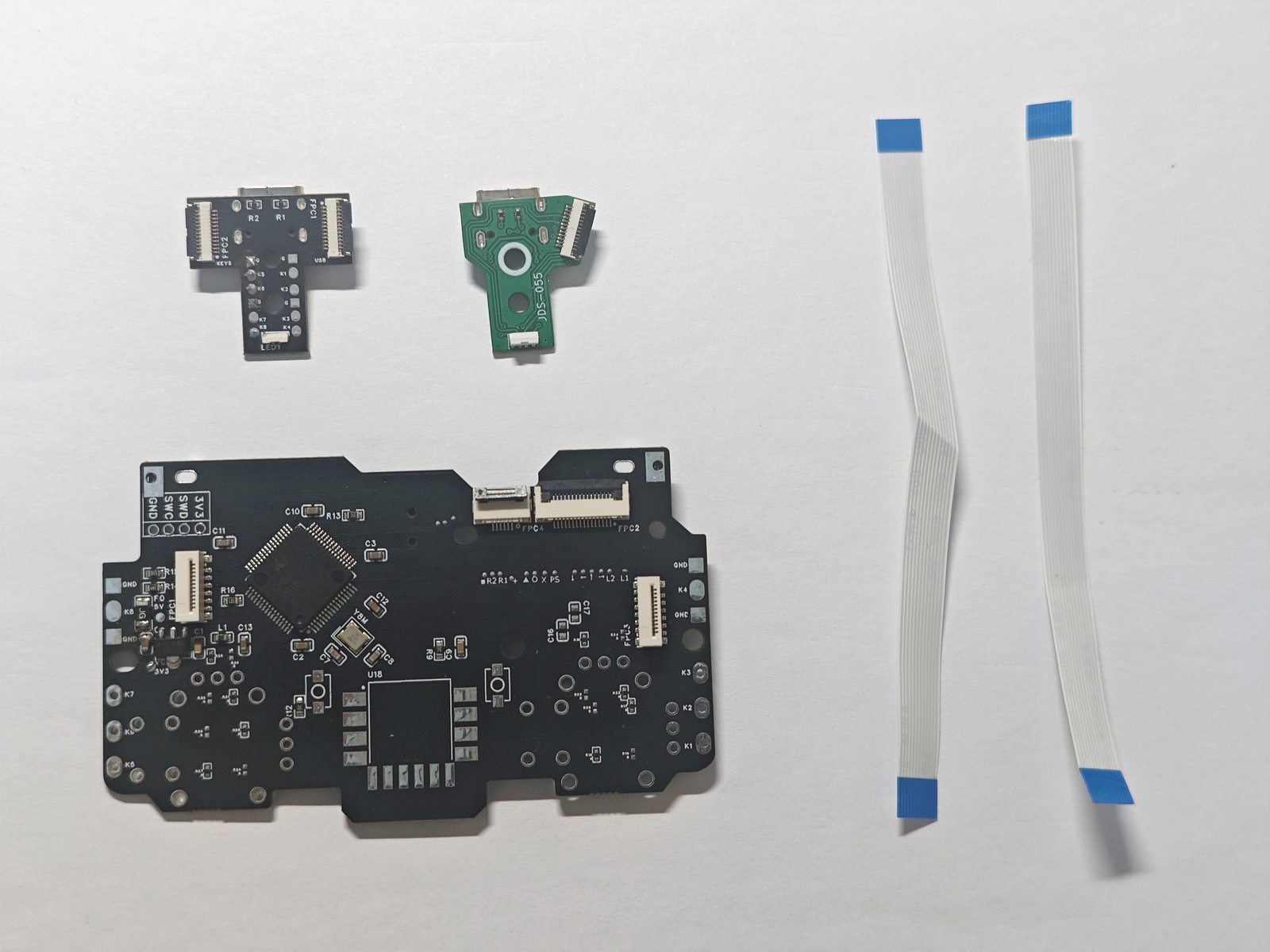
Use the photo below to identify the mainboard, daughterboards, and ribbon cables. The two daughterboards correspond to two installation options.
 1
2
3
4
5
1
2
3
4
5
Number |
Part |
|---|---|
1 |
ProShock 4 mainboard |
2 |
ProShock mapping daughterboard with USB and KEYS ribbon connectors |
3 |
Original USB daughterboard; JDS-055 is shown |
4 |
Ribbon cable 1 (the left cable in the photo) |
5 |
Ribbon cable 2 (the right cable in the photo) |
Choose an installation option
Option 1: ProShock mapping daughterboard. Follow the steps below.
Option 2: Original USB daughterboard. Connect only to the left-side connector on the mainboard.
Option 1: ProShock mapping daughterboard
Position the mainboard as shown: component side facing up, with the two adjacent connectors along the top edge. “Left” and “right” below refer to this orientation.
Step 1: Connect USB
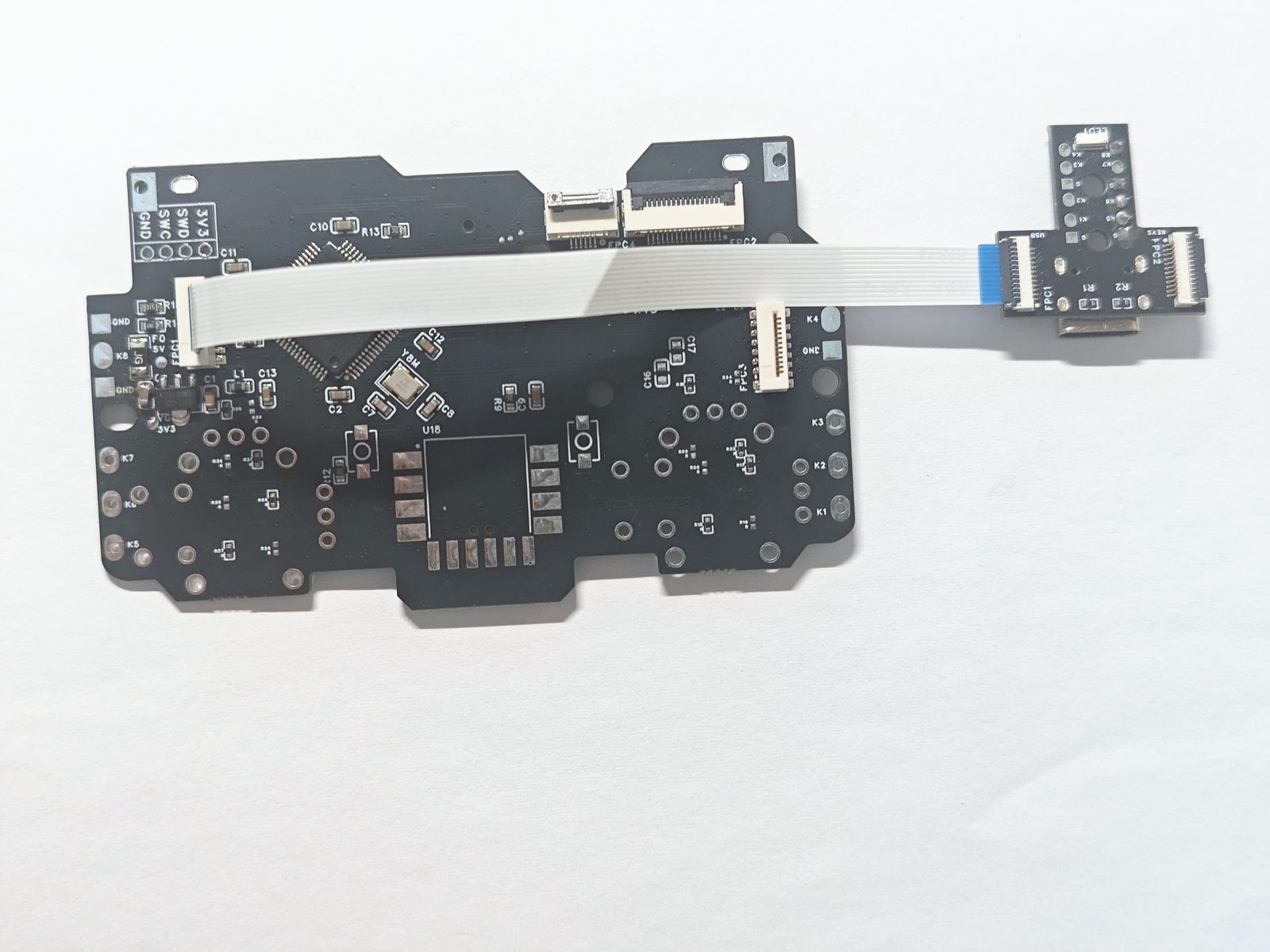
Locate the connector labeled USB on the mapping daughterboard. Connect it with a ribbon cable to the left-side mainboard connector (FPC1).
Match the orientation of the blue tabs at both ends to the photo. At the daughterboard’s USB end, the blue tab faces the camera; insert the mainboard end as shown.
 A
B
A
B
Step 2: Connect KEYS
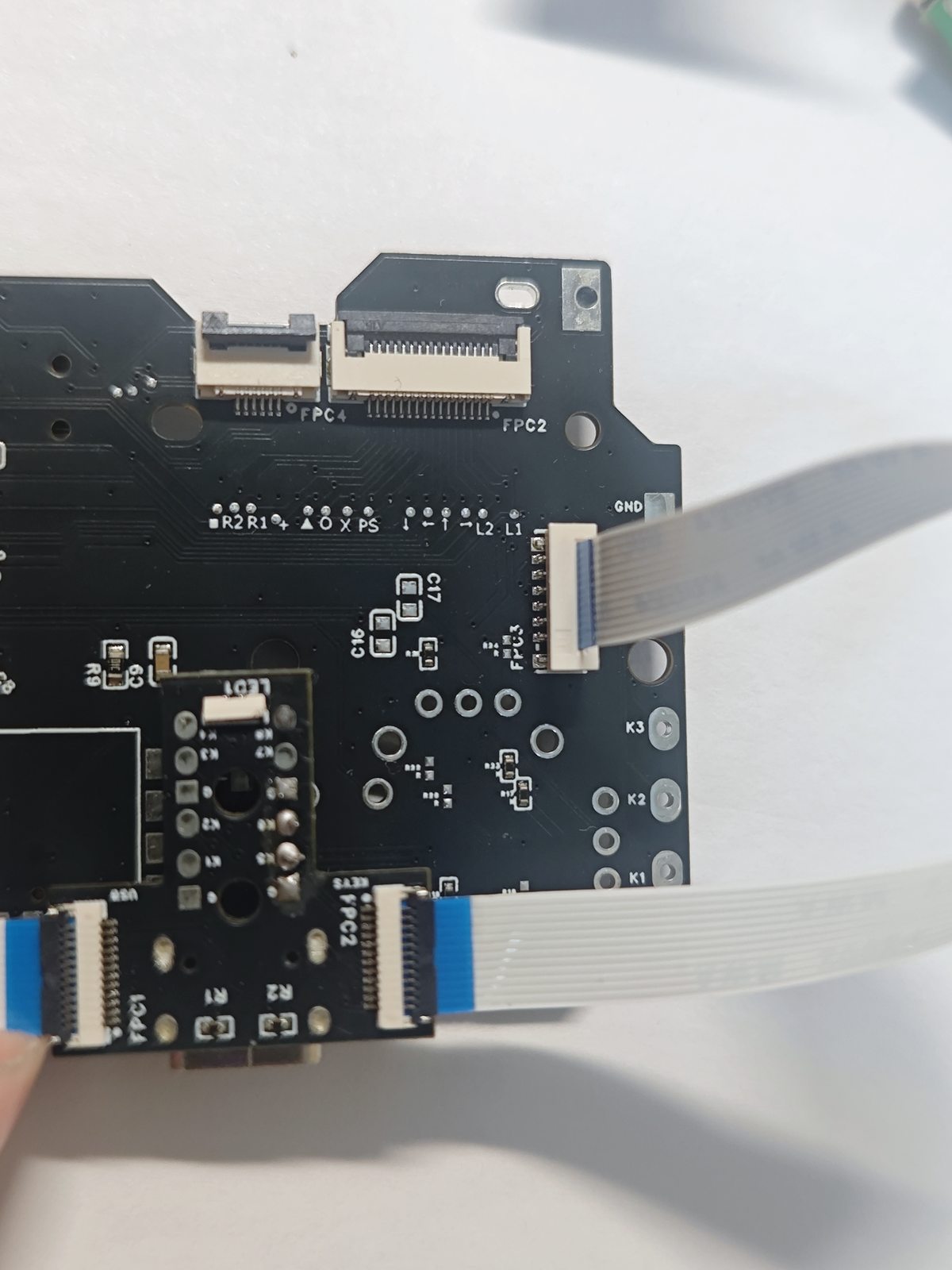
Locate the connector labeled KEYS on the mapping daughterboard. Use the other ribbon cable to connect it to the right-side mainboard connector (FPC3).
Match the blue tabs at both ends to the photo below. Check the position and orientation at the mainboard and daughterboard separately.
 C
D
C
D
Option 2: Original USB daughterboard
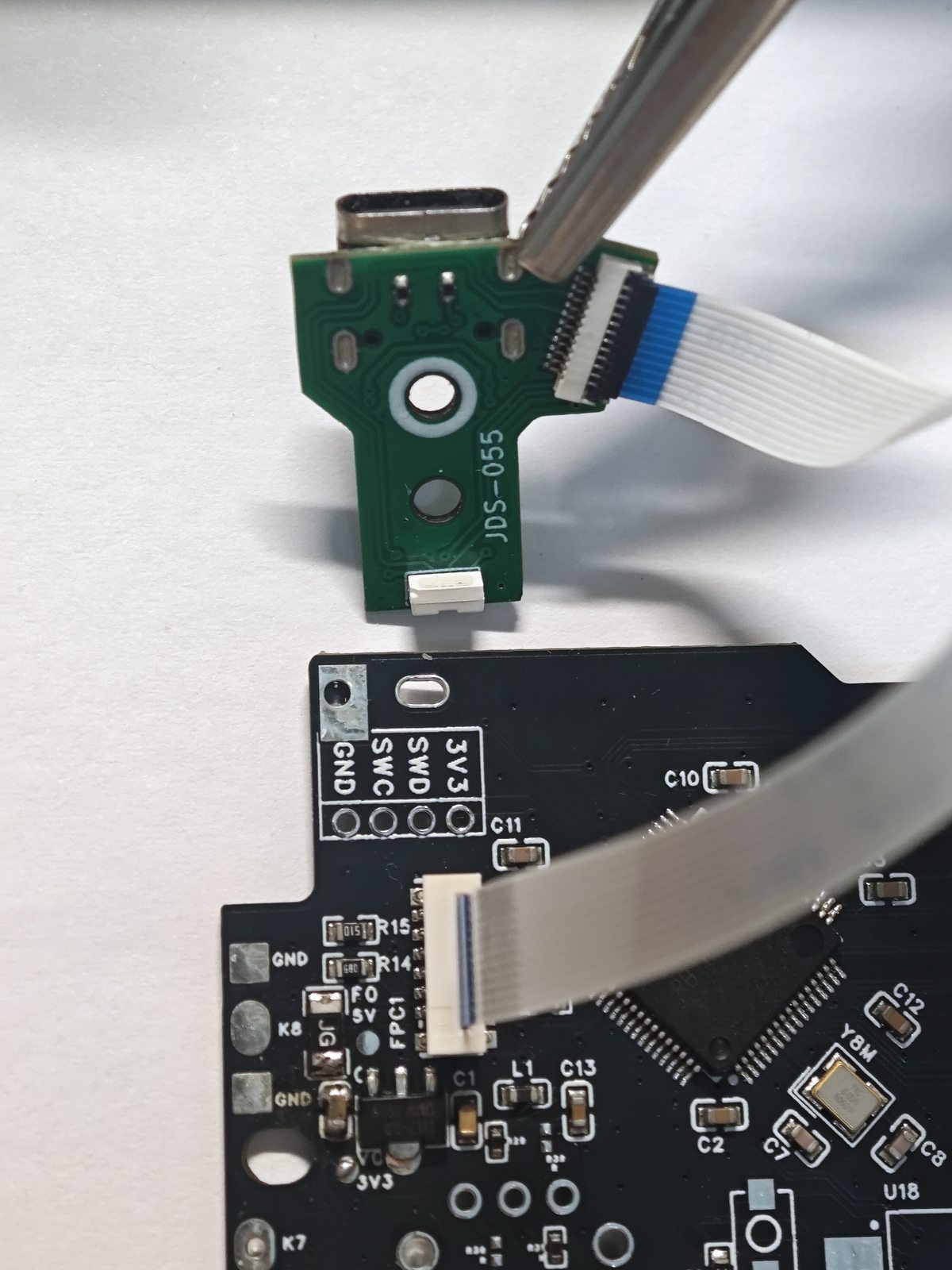
Use one ribbon cable to connect the original USB daughterboard to the left-side mainboard connector (FPC1). No connection to the right-side KEYS connector is needed.
Insert the cable as shown, checking the blue tab orientation at both ends. The photo shows an original JDS-055 daughterboard.
 E
F
E
F