Flex Cables
This mainboard supports original flex cables and HML (Huaminglou) FPC, including analog triggers. Choose one of the following three installation methods for your cable.
Option |
Connection method |
|---|---|
Original flex cable |
Install directly |
Direct HML connection |
Plug HML FPC into the 16-pin connector at the back of the mainboard, complete the solder connection, and configure the portal settings |
Other flex cables |
Use a contact-to-connector adapter |
Option 1: Original flex cable
An original flex cable can be installed directly.
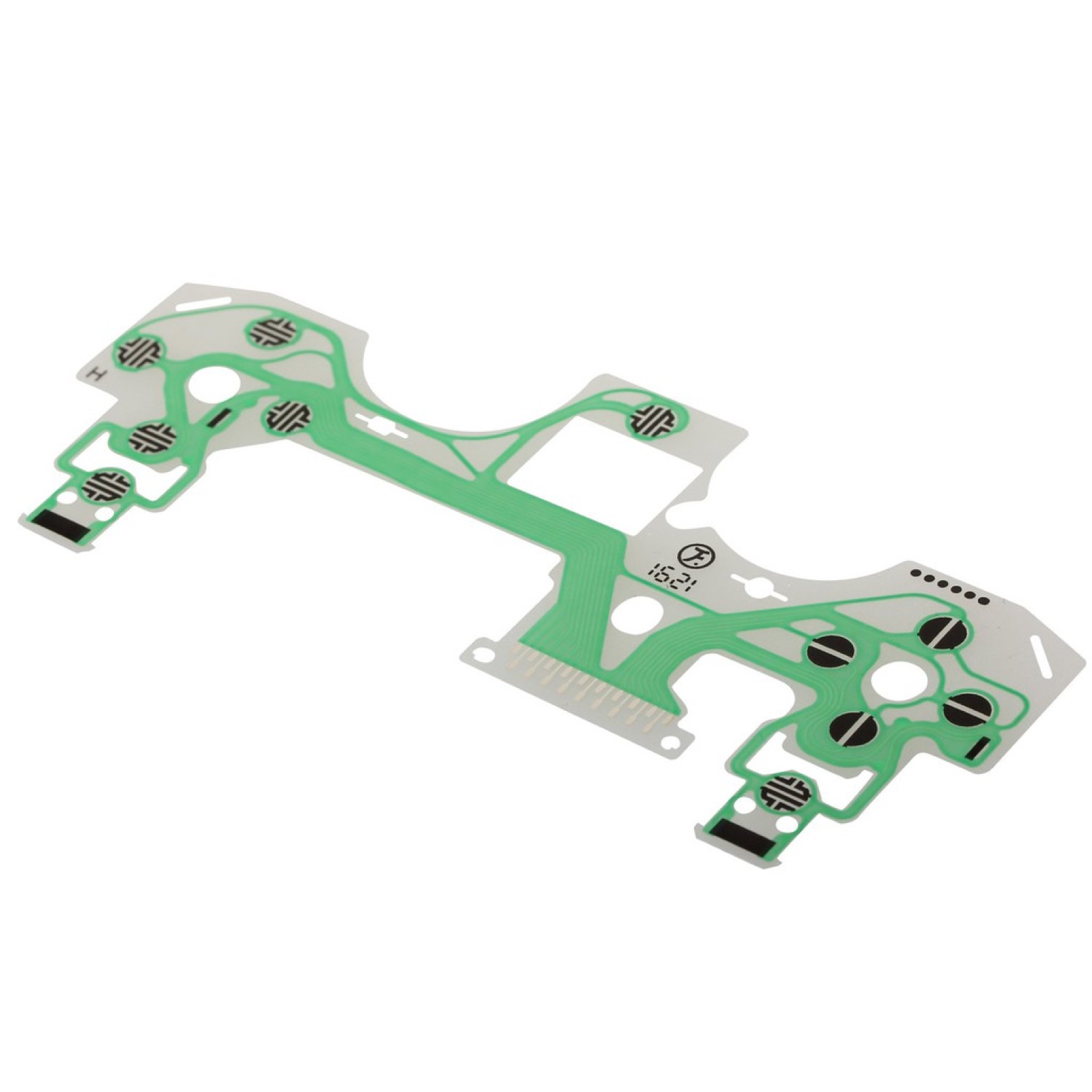
Original flex cable. Install it directly.
Option 2: Direct HML connection
HML (Huaminglou) FPC currently gives the best results for direct connection. Complete the solder connection below, then configure the flex cable mode and trigger directions after plugging it in.
FPC overview
The photo below shows the HML FPC. It plugs directly into the 16-pin connector at the back of the mainboard.
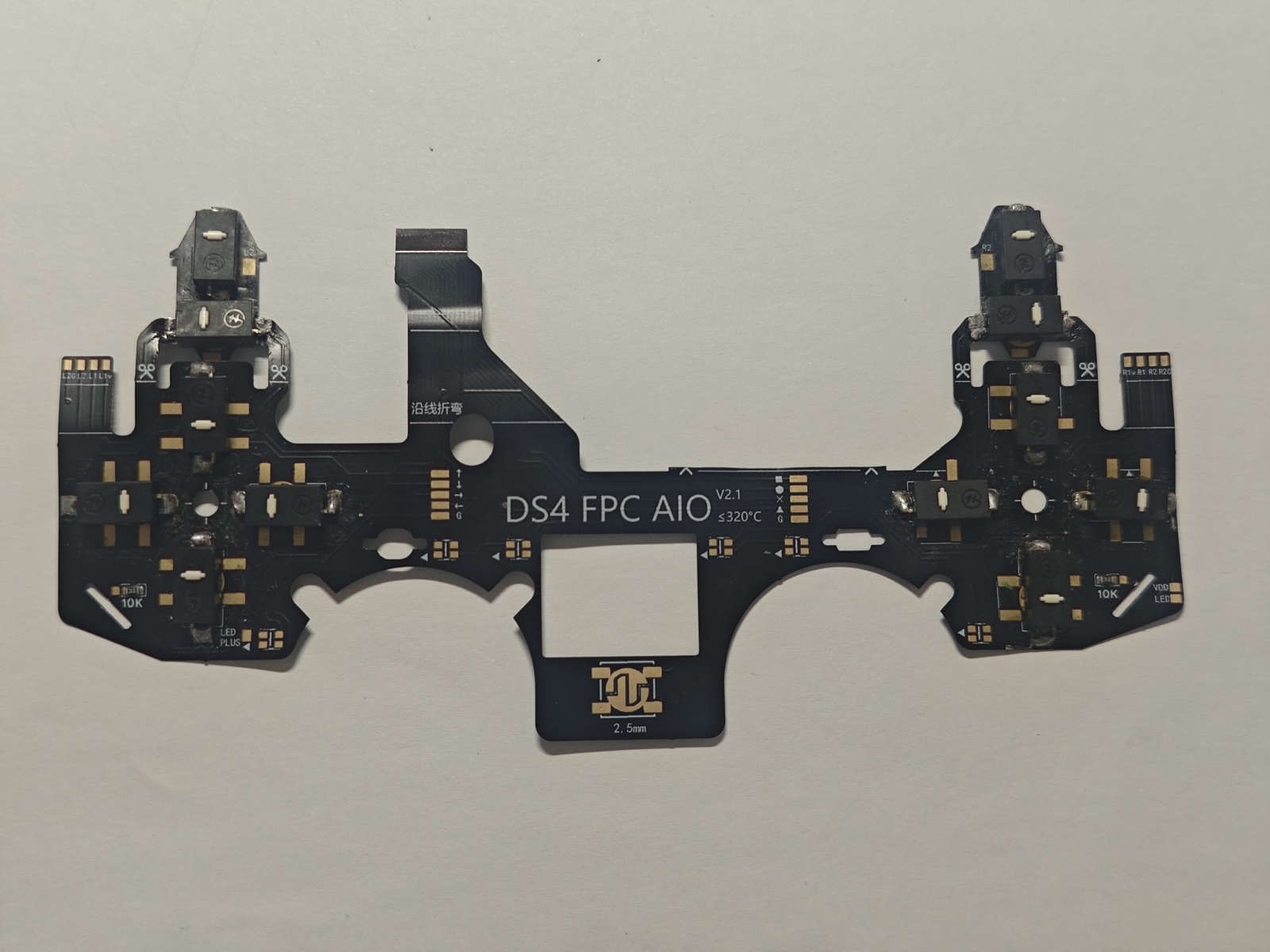
HML (Huaminglou) FPC overview.
Required pad connection
Important
When using HML FPC, you must connect the separate pad to the left of the resistor in the red box to the resistor terminal nearest that pad.
Using the orientation in this close-up, with power disconnected, bridge the separate left pad and the resistor’s left terminal with solder. Keep the resistor in place.
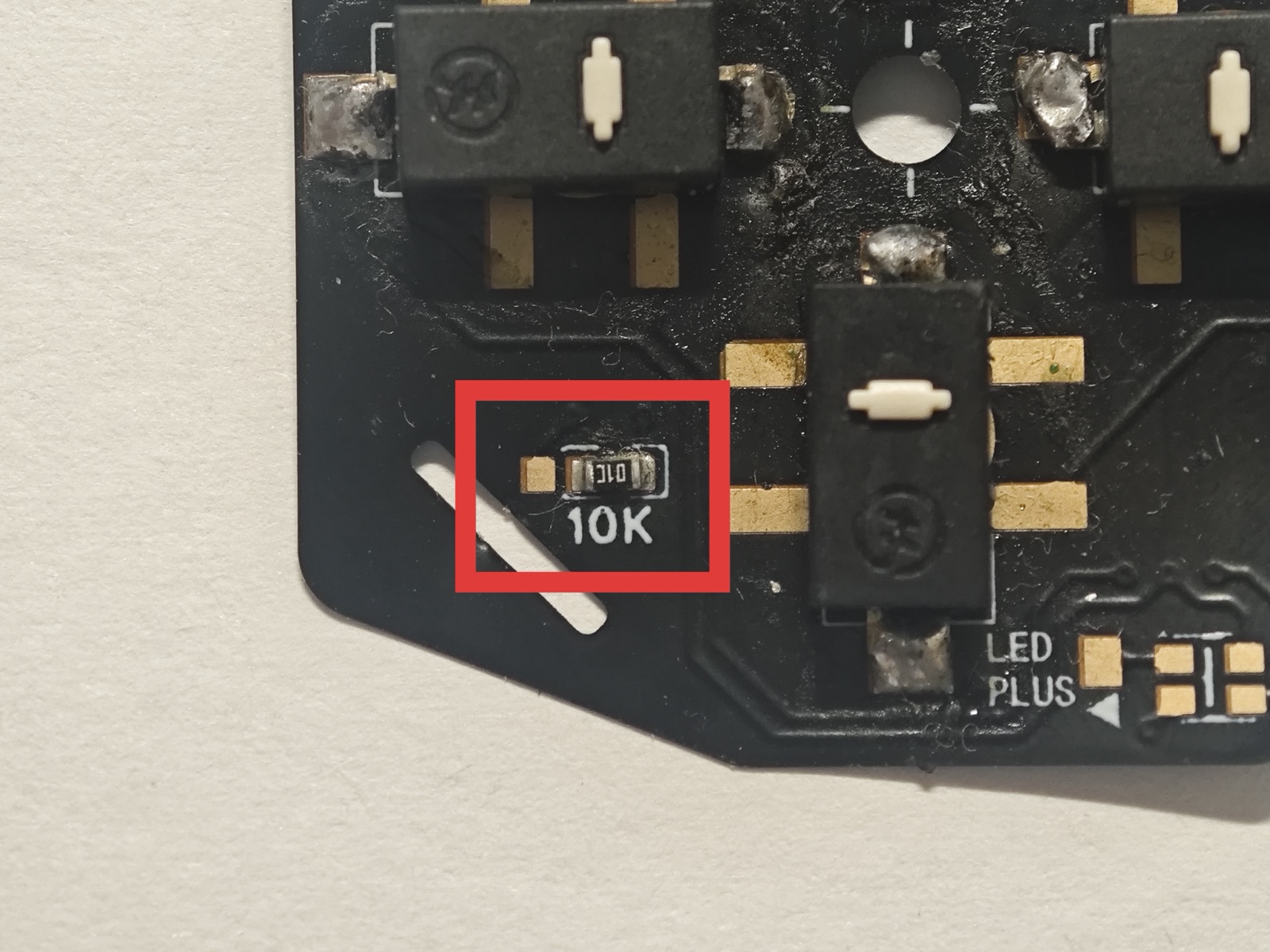
Required HML connection: separate pad on the left → left resistor terminal.
Configuration after connecting
After plugging in HML FPC, connect to the configuration portal and open Configuration → System. Set the two areas marked in red below:
Under Device Settings, set Flex Cable Mode to HML.
Under Hardware Directions, enable Invert for both L2 and R2.
Click Apply, then Save, and wait for saving to finish.
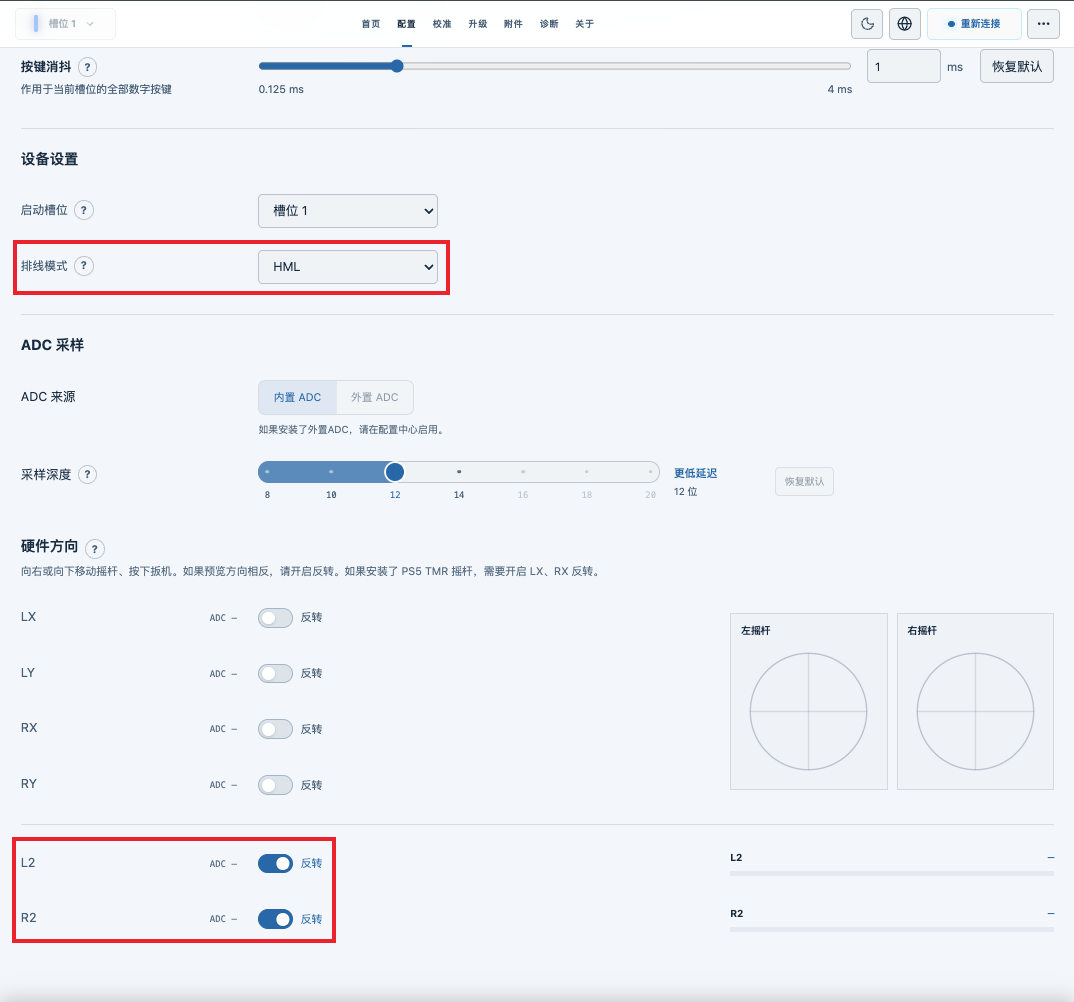
HML settings: Flex Cable Mode = HML; L2 and R2 inversion enabled. The screenshot uses the Chinese interface; the settings are described above in English.
Option 3: Other flex cables
Other flex cables can connect to the mainboard through a contact-to-connector adapter.
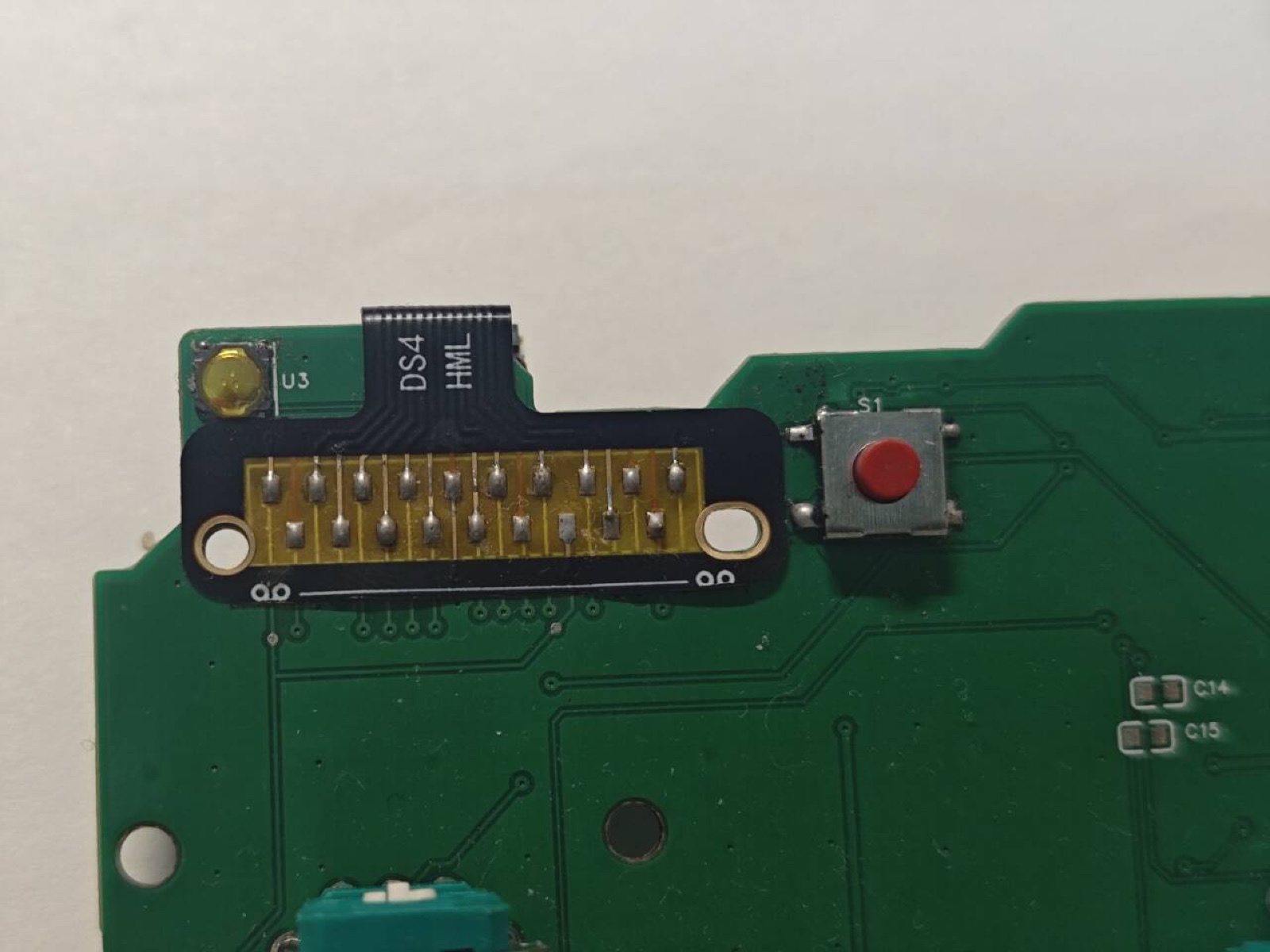
Example of a contact-to-connector adapter.