Gyroscope (Optional)
Choosing a module
Purchase a ZY-MPU6050 module and solder it onto the mainboard in the position and orientation shown below.
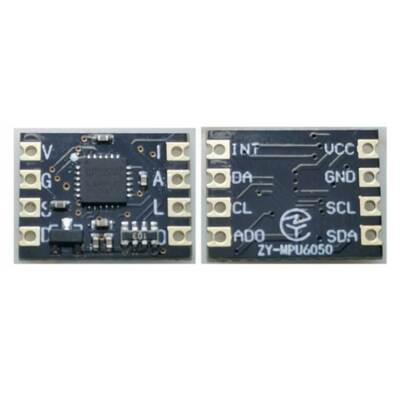
Front and back of the ZY-MPU6050 module for identification when purchasing. See the installation photo below for soldering position and orientation.
Soldering the module
Disconnect power from the mainboard.
Place the module on the designated footprint near the lower center of the mainboard. Check its orientation and pad alignment against the photo.
Solder the module pads individually, then inspect neighboring joints.
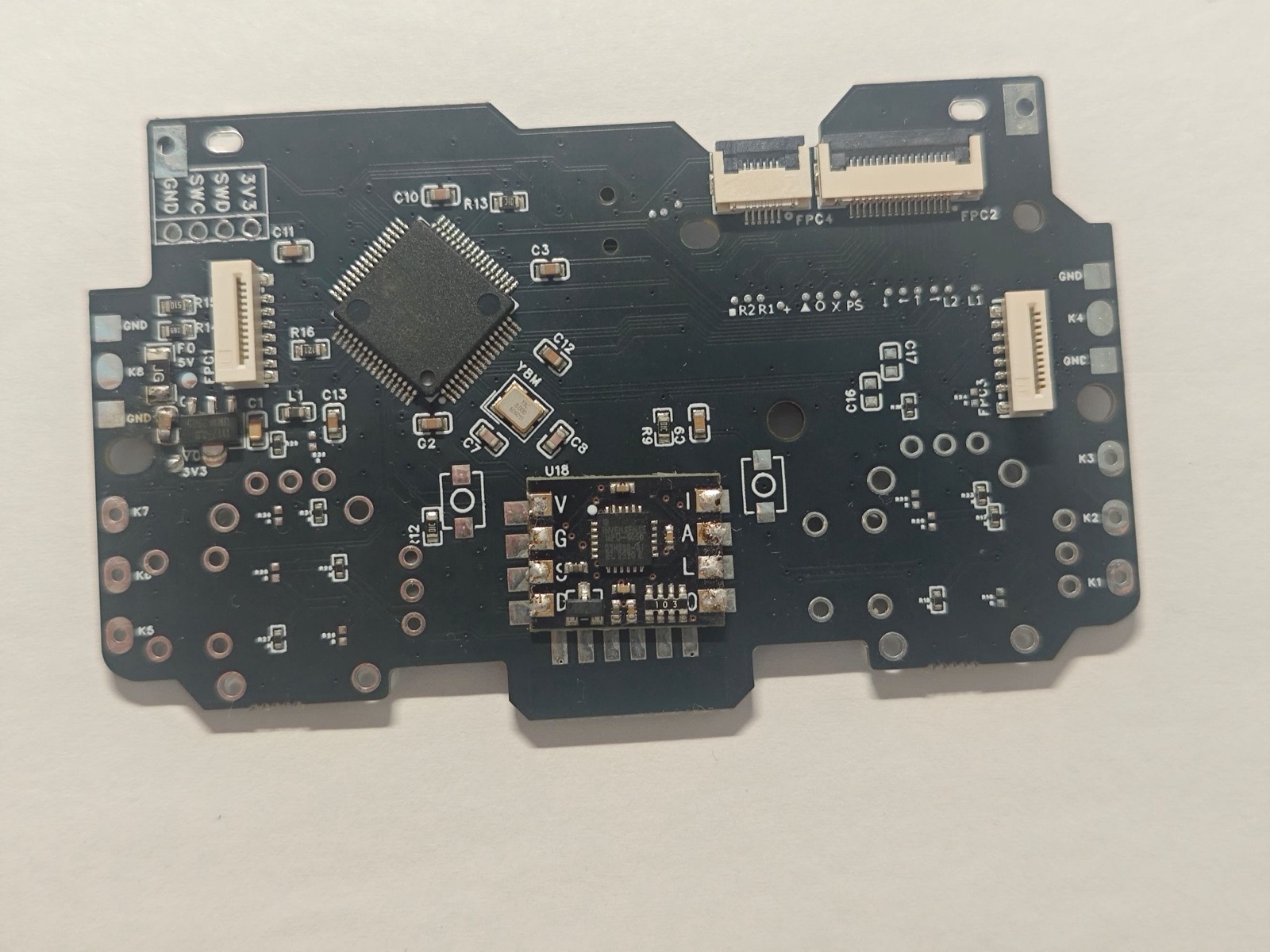
ZY-MPU6050 installation example. Match the module’s position and orientation to the photo.
Warning
Avoid accidental solder bridges. Excess solder must not connect adjacent pads. Inspect the joints before powering on, and remove any unintended bridges first.
Enabling it in the configuration portal
After soldering and inspection, connect the controller and open the configuration portal:
Find Onboard Expansion.
Select Gyroscope.
Click Apply, then Save, and wait for saving to finish.